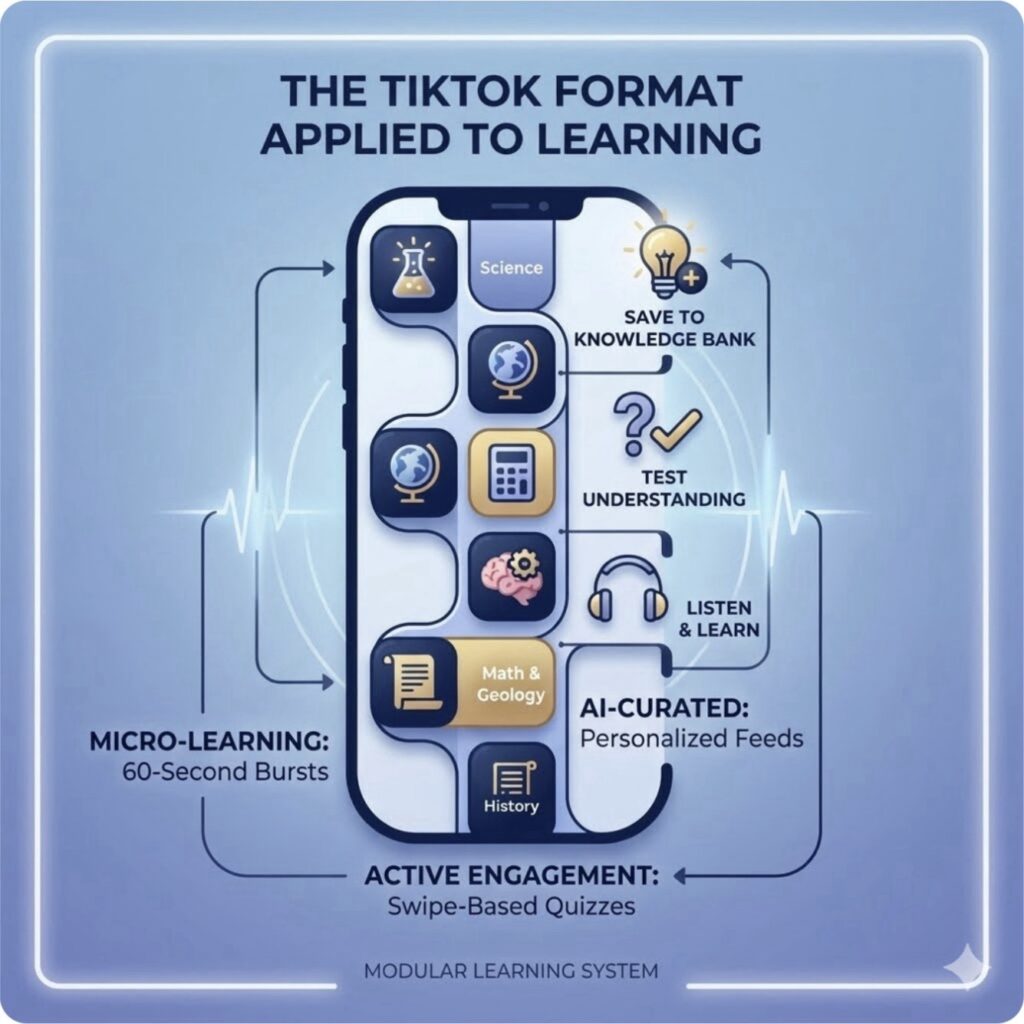
A growing wave of specialized EdTech startups, creators, and platforms are taking the vertical, swipeable, short-form video format of TikTok and applying it directly to education and professional micro-learning. [1, 2]
Dedicated EdTech Startups & Apps
- Revyze: A France-based community-powered learning app built specifically for Gen Z, using short-form mobile videos for peer-to-peer educational content. [1]
- Knowunity: A massive European digital learning platform that combines student-created study notes, presentations, and bite-sized explanations in a familiar social-scroll feed. [1]
- Learnreel: Often described as the “TikTok of education,” this app delivers structured 1-minute professional and general knowledge courses via vertical video feeds. [1]
- 5Mins: A UK-based gamified micro-learning platform that applies a TikTok-style engaging video interface to corporate upskilling and professional development. [1]
- eduMe & Frntlne: Mobile training platforms that deliver bite-sized, social-media-style educational modules and micro-courses for deskless and frontline workforces. [1]
Established Giants & Institutional Shifts
- TikTok itself (#LearnOnTikTok): Rather than just letting users stumble on random facts, TikTok actively pushes structured educational hashtags and has experimented heavily with dedicated educational viewing spaces. [1, 2, 3]
- Duolingo: While famous for gamification, they frequently lean into short-form, trendy native video styles across platforms to make language lessons feel immediate and culturally relevant. [1]
Watch this short overview on how educational content and creators are shifting standard study habits toward short-form formats:
Learning on TikTok: Education in Short Videos
YouTube · Fantastic Info Treinamentos
The choice between micro-learning (short, bite-sized content) and deep study (extended, focused immersion) depends entirely on your goals. Micro-learning builds consistency, while deep study builds mastery.
Here is a breakdown of the pros and cons of each approach:
1. Micro-Learning (The “TikTok” Format)
Micro-learning delivers information in highly specific chunks, typically lasting from 30 seconds to 5 minutes.
Pros:
- High retention for isolated facts: Perfect for vocabulary, formulas, and definitions.
- Low barrier to entry: Ideal for busy schedules or low-motivation days.
- Boosts consistency: Gamified vertical feeds keep users coming back daily.
- Just-in-time utility: Allows you to quickly learn a specific micro-skill exactly when you need it.
Cons:
- Lacks context: Fails to connect isolated facts into a larger, coherent system.
- Superficial understanding: Cannot effectively teach complex, multi-layered concepts.
- Fuels illusion of competence: Swiping gives a dopamine rush of “feeling smart” without actual mastery.
- Shortens attention span: Constant rapid switching reduces your capacity for sustained focus.
2. Deep Study (The Traditional Format)
Deep study involves uninterrupted, focused cognitive effort on a single complex topic for hours at a time.
Pros:
- Develops expertise: Builds the dense neural pathways required for critical thinking.
- Encourages synthesis: Helps you connect different ideas, solve novel problems, and innovate.
- Fosters creative flow: Extended focus allows the brain to enter highly productive “flow states.”
- Long-term memory transfer: Moving schemas from short-term to permanent memory requires deep processing.
Cons:
- High cognitive fatigue: Demands intense mental energy and can lead to rapid burnout.
- Prone to procrastination: The massive time commitment makes it easy to put off starting.
- Inefficient for quick fixes: Ineffective if you just need to fix a single line of code or look up a basic rule.
The Verdict: How to Combine Them
The most effective learners do not choose between them; they use a hybrid model:
- Use deep study to build the initial foundation of a complex subject (e.g., spending 2 hours learning how a programming language works).
- Use micro-learning to maintain, review, and reinforce that knowledge later (e.g., swiping through coding syntax flashcards while waiting for the bus).
Creating vertical micro-learning content requires a shift in how you package information. Because you only have 30 to 90 seconds, you must strip away fluff and focus on a single, highly actionable takeaway.
Step-by-Step Guide to Creating Vertical Learning Content
To build an engaging learning video, use this structural blueprint designed specifically for short-term retention:
[00:00 - 00:05]  👉 THE HOOK: Subvert an assumption or ask a provocative question.
[00:05 - 00:15]  👉 THE PROBLEM: Why does this matter? Frame the core issue.
[00:15 - 00:45]  👉 THE BREAKDOWN: Deliver exactly 1 concrete solution or visual formula.
[00:45 - 00:60]  👉 THE ACTIVE RETENTION: End with a question or a mini-quiz challenge.
Step 1: Scripting with AI
Do not write like a textbook. Write like a conversation. You can prompt ChatGPT to structure your script:
“Act as an expert EdTech creator. Write a 45-second vertical video script about how a turbocharger works. Start with a disruptive hook, use a relatable analogy, keep sentences under 10 words, and end with a quick interactive true/false question.” [1]
Step 2: Formats and Technical Setup
- The Aspect Ratio: Always shoot or export in a strict 9:16 vertical orientation (1080 × 1920 pixels).
- The Safe Zone: Keep text, diagrams, and faces in the middle 60% of the screen. Avoid the top (where search bars live) and the bottom right (where usernames and caption overlays sit on social apps). [1]
Step 3: Fast-Paced Video Editing
- Force Pacing: Cut out every breath, “um”, or pause. The audio should be a continuous stream of information.
- Dynamic Captions: Micro-learners often watch on mute. Use auto-captioning tools to display bold, colorful, center-aligned words that change every 1 to 3 words to keep eyes anchored.
The Content Creation Tool Stack
You do not need an expensive studio to make high-quality educational shorts. These easy-to-use tools will help you build them in minutes:
AI Video Generators & Editors
- CapCut: The industry standard for vertical shorts. Its AI Video Maker features a powerful text-to-video function that automatically synthesizes voiceovers, background tracks, and standard vertical ratios. [1]
- InVideo AI: A specialized platform where you can type an educational prompt (e.g., “Create a 60-second video explaining photosynthesis”), and it generates an entire video complete with a script, stock footage, and voice narration. [1]
- Wondershare Filmora: Excellent for educators who want to instantly cut landscape classroom screen recordings or slide presentations down into optimized vertical reels using smart framing tools. [1]
Slide & Graphic Adapters
- Canva: Features hundreds of pre-built “Mobile Video” education templates. You can easily build automated, animated graphic slides that scroll like a video. [1]
- Loom: Perfect for quick software tutorials or coding breakdowns. You can record your desktop screen with a round bubble camera showing your face in the corner, then instantly crop it vertically. [1]
Interactive Quiz Add-ons
- Quizlet & Kahoot!: Use these to build the “active recall” portion of your lesson. Generate a quick link or a screenshot quiz from your deck and pin it in your video comments so viewers can test themselves immediately. [1, 2]
How to Publish Content on These Platforms
Once your video is created, you have two primary options for distribution:
- Monetize on Dedicated EdTech Apps: Apps like Revyze allow you to apply to be a verified peer-to-peer or expert creator. They provide specific onboarding templates, and you can earn money based on monthly views and engagement within their UK and US exam channels.
- Target Algorithms on Mainstream Platforms: If posting on TikTok, YouTube Shorts, or Instagram Reels, maximize visibility by using clear educational hashtags (e.g.,
#LearnOnTikTok,#EduTok,#Shorts101) to train the algorithm to push your content directly to student feeds. [1, 2]
Drafted in collaboration with Gemini